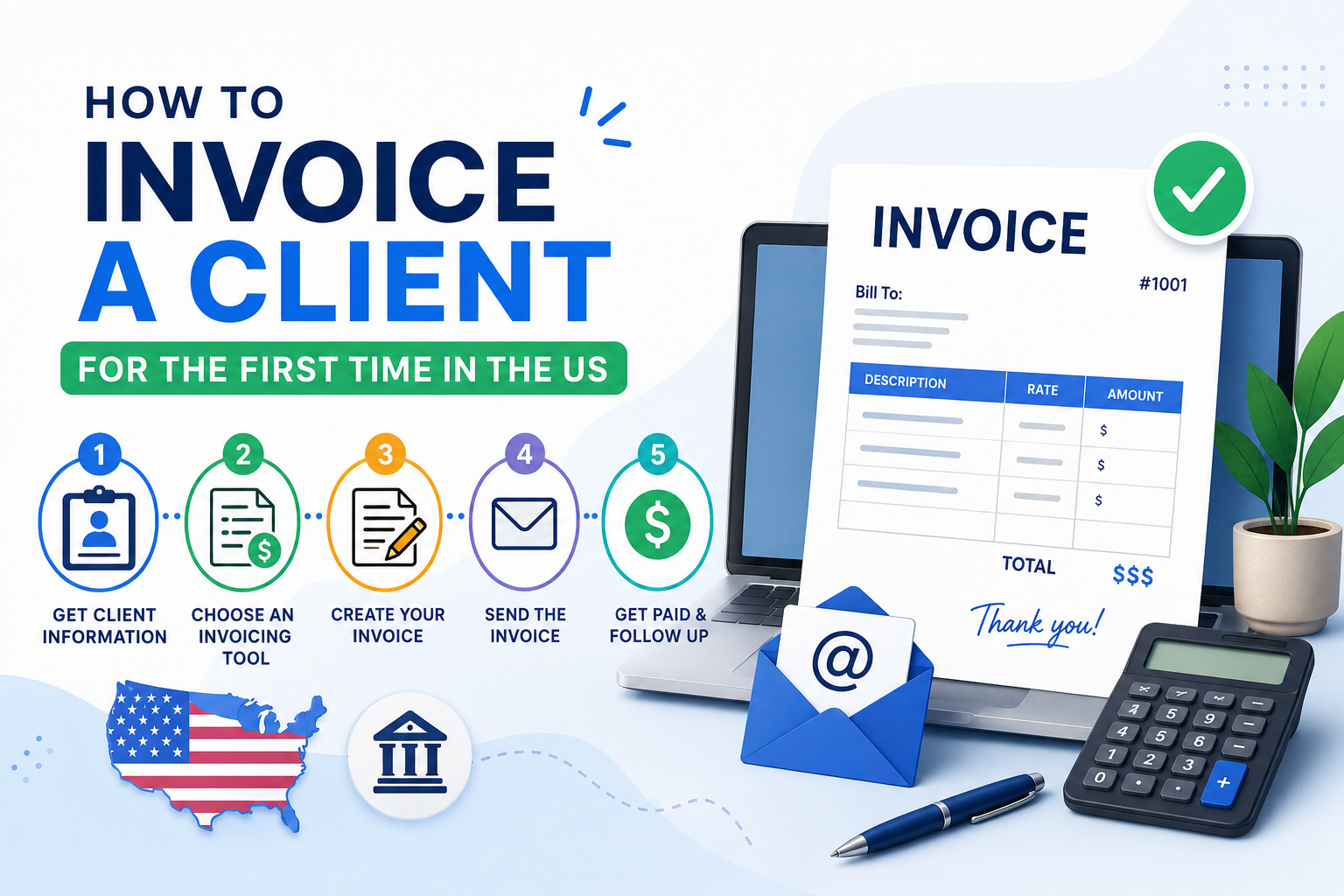
How to Invoice a Client for the First Time in the US (Quick Answer)
If you’re invoicing a client for the first time in the US, follow these steps:
- Gather your client’s billing information.
- Create a unique invoice number.
- Add an itemized list of products or services.
- Include rates, quantities, and totals.
- Set clear invoice payment terms.
- Add payment methods such as ACH payment, credit card, or bank transfer.
- Review the invoice for accuracy.
- Send it professionally via email or an online invoice system.
- Follow up with payment reminders if necessary.
A professional invoice should include your business details, client information, invoice date, due date, service descriptions, taxes (if applicable), total amount due, and payment instructions.
Introduction
Sending your first invoice can feel intimidating.
Whether you’re a freelancer, consultant, agency owner, contractor, or small business owner, you’ve probably asked yourself questions like:
- What should an invoice include?
- Do I need an invoice number?
- Should I charge sales tax?
- What payment terms should I use?
- Do I need a W-9 form?
- How do I make my invoice look professional?
The truth is that many new business owners lose time and money because they make simple invoicing mistakes. Missing payment terms, vague service descriptions, incorrect totals, and delayed invoicing can all lead to slower payments and frustrated clients.
The good news is that invoicing isn’t complicated once you understand the process.
In this comprehensive guide, you’ll learn exactly how to invoice a client for the first time in the US, including invoice requirements, payment terms, W-9 forms, sales tax considerations, invoice examples, and practical strategies to get paid faster.
Whether you’re sending a freelance invoice for a side project or creating a business invoice for a growing company, this guide will walk you through every step.
If you’re looking for a faster way to create invoices, iLove Invoice helps freelancers and businesses generate professional invoices, manage client billing, and streamline payments online.
What Is an Invoice?
An invoice is a formal document sent to a client requesting payment for products delivered or services performed.
A professional invoice serves as:
- A payment request
- A legal business record
- An accounting document
- Proof of services rendered
- Documentation for tax reporting
Invoices help businesses track income, manage accounts receivable, and maintain accurate financial records.
Without proper invoicing, businesses often struggle with late payments, bookkeeping issues, and tax reporting challenges.
Why Proper Invoicing Matters for Freelancers and Small Businesses
Many business owners underestimate the impact invoicing has on cash flow and profitability.
A well-designed invoice does much more than request payment—it helps you get paid faster.
Better Cash Flow
Cash flow problems are one of the leading challenges facing small businesses.
Sending invoices promptly and accurately can significantly improve payment speed and business stability.
Professionalism
Professional invoices show clients that you’re organized, trustworthy, and serious about your business.
Record Keeping
Invoices provide valuable records for:
- Revenue tracking
- Expense reconciliation
- Financial reporting
- Tax preparation
Tax Compliance
Invoices help support:
- Income reporting
- Sales tax tracking
- IRS documentation requirements
Important Invoicing Statistics
| Statistic | Why It Matters |
|---|---|
| Invoice errors are a major cause of delayed payments | Accuracy helps businesses get paid faster |
| Businesses that invoice immediately generally collect payments faster | Prompt invoicing improves cash flow |
| Small businesses spend hours each week on administrative tasks | Invoice automation saves time |
| Offering multiple payment methods improves payment rates | Convenience encourages faster payment |
| Professional invoices improve client trust | Better presentation leads to fewer disputes |
What Information Must Be Included on an Invoice in the US?
Every professional invoice should contain the following information.
Business Information
Include:
- Business name
- Business address
- Email address
- Phone number
- Website
- Logo (optional)
Client Information
Include:
- Client name
- Company name
- Billing address
- Contact information
Invoice Number
Each invoice should have a unique invoice number.
Examples:
- INV-1001
- INV-2026-001
- CLIENT-001
Invoice Date
The date the invoice is issued.
Due Date
The date payment is expected.
Description of Services
Clearly explain what you’re billing for.
Bad Example:
Marketing Services
Good Example:
SEO Audit and On-Page Optimization for June 2026
Quantity
Hours, units, products, or project milestones.
Rate
Price per hour, product, or service.
Subtotal
Amount before taxes.
Taxes
Applicable sales tax if required.
Total Amount Due
Final amount owed.
Payment Instructions
Explain exactly how the client can pay.
How to Invoice a Client for the First Time in the US
Step 1 – Gather Client Information
Collect:
- Client name
- Company name
- Billing address
- Email address
- Accounts payable contact
Many larger organizations process invoices through their Accounts Payable department.
Step 2 – Create a Professional Invoice Number
Use a consistent numbering system.
Examples:
- INV-1001
- INV-1002
- INV-1003
Benefits include:
- Easier record keeping
- Faster tracking
- Better organization
Step 3 – Add Services or Products Clearly
Provide detailed descriptions.
Example:
| Description | Quantity | Rate | Total |
|---|---|---|---|
| SEO Audit | 10 Hours | $100 | $1,000 |
| Content Optimization | 5 Hours | $80 | $400 |
Step 4 – Set Payment Terms
Common invoice payment terms include:
- Due Upon Receipt
- Net 7
- Net 15
- Net 30
- Net 60
For freelancers, Net 15 is often ideal.
Step 5 – Include Payment Methods
Offer multiple payment options.
Examples:
- ACH Payment
- Bank Transfer
- Credit Card
- Stripe
- PayPal
The easier it is to pay, the faster you’ll get paid.
Step 6 – Review Your Invoice
Check:
- Client information
- Dates
- Totals
- Taxes
- Payment details
Step 7 – Send the Invoice Professionally
Example Email:
Subject: Invoice INV-1001
Hello Sarah,
Thank you for the opportunity to work together.
Attached is Invoice INV-1001 for completed services. Payment is due on July 15, 2026.
Please let me know if you have any questions.
Best regards,
John Smith
Step 8 – Follow Up If Payment Is Delayed
Suggested reminder schedule:
- Three days before due date
- Due date
- Seven days after due date
- Fourteen days after due date
Always remain polite and professional.
Professional Invoice Examples
Freelance Writer Invoice
| Description | Qty | Rate | Total |
|---|---|---|---|
| Blog Writing | 5 Articles | $200 | $1,000 |
| SEO Optimization | 5 Articles | $50 | $250 |
| Total Due | $1,250 |
Marketing Consultant Invoice
| Description | Hours | Rate | Total |
|---|---|---|---|
| SEO Audit | 10 | $100 | $1,000 |
| Strategy Session | 5 | $120 | $600 |
| Total Due | $1,600 |
Web Developer Invoice
| Description | Hours | Rate | Total |
|---|---|---|---|
| Website Development | 40 | $85 | $3,400 |
| Hosting Setup | 1 | $150 | $150 |
| Total Due | $3,550 |
Contractor Invoice
| Description | Qty | Rate | Total |
|---|---|---|---|
| Labor | 80 Hours | $75 | $6,000 |
| Materials | 1 | $2,500 | $2,500 |
| Total Due | $8,500 |
Best Invoice Payment Terms Explained
| Payment Term | Meaning | Best For | Pros | Cons |
|---|---|---|---|---|
| Due Upon Receipt | Immediate payment | Small projects | Fast cash flow | Some clients dislike urgency |
| Net 7 | Payment within 7 days | Freelancers | Faster payments | Less common |
| Net 15 | Payment within 15 days | Consultants | Balanced approach | Requires follow-up |
| Net 30 | Payment within 30 days | Most businesses | Widely accepted | Slower cash flow |
| Net 60 | Payment within 60 days | Enterprise clients | Meets procurement requirements | Long wait |
ACH vs Credit Card vs Check Payments
| Payment Method | Processing Time | Fees | Best For |
|---|---|---|---|
| ACH Payment | 1-3 Days | Low | B2B Transactions |
| Credit Card | Instant | Higher Fees | Small Invoices |
| Check | 5-10 Days | None | Traditional Clients |
| Wire Transfer | Same Day | High Fees | Large Transactions |
Do You Need to Charge Sales Tax on an Invoice?
Sales tax rules vary by state.
Generally:
- Physical products are often taxable.
- Services may or may not be taxable.
- Digital services are treated differently depending on the state.
Factors affecting sales tax include:
- Your location
- Client location
- Product type
- Service category
If sales tax applies, include it as a separate line item on the invoice.
Because rules vary significantly, consult a CPA or tax professional for guidance.
W-9 Forms and 1099 Contractors Explained
What Is a W-9 Form?
A W-9 form is an IRS document that provides:
- Legal name
- Business structure
- Taxpayer Identification Number
Why Do Clients Request It?
Clients use W-9 information to report payments made to independent contractors.
What Is a 1099 Contractor?
A 1099 contractor is an independent contractor rather than an employee.
Many businesses require a completed W-9 before processing contractor payments.
Common First-Time Invoicing Mistakes
| Mistake | Why It Causes Problems | How to Avoid It |
|---|---|---|
| Missing invoice number | Difficult tracking | Use sequential numbering |
| Vague descriptions | Confuses clients | Be specific |
| No payment terms | Delayed payments | Include due dates |
| Sending invoices late | Slower cash flow | Invoice immediately |
| Missing payment instructions | Payment delays | Add ACH details |
| Calculation errors | Damages trust | Review carefully |
| Not following up | Unpaid invoices | Use reminders |
| Ignoring taxes | Compliance risks | Verify requirements |
Freelancer Invoice Checklist
Before sending an invoice:
Business Information
- Business name
- Address
- Phone number
- Email address
Client Information
- Client name
- Company name
- Billing address
Invoice Details
- Invoice number
- Invoice date
- Due date
- Itemized services
- Quantity
- Rate
- Taxes
- Total amount due
Payment Information
- ACH payment details
- Credit card payment option
- Payment instructions
Final Review
- No spelling errors
- Correct totals
- Supporting documents attached
- Copy saved for records
How to Get Paid Faster
Send Invoices Immediately
Invoice clients as soon as work is completed.
Offer Multiple Payment Methods
Provide:
- ACH payment
- Credit cards
- PayPal
- Online payment links
Use Shorter Payment Terms
Net 15 often produces faster payments than Net 30.
Send Payment Reminders
Reminder emails significantly improve payment rates.
Request Deposits
For larger projects, request:
- 25% upfront
- 50% upfront
- Milestone payments
Use Online Invoice Software
Professional invoicing software reduces mistakes and automates reminders.
Invoice vs Receipt
Many new business owners confuse invoices and receipts.
| Invoice | Receipt |
|---|---|
| Requests payment | Confirms payment |
| Sent before payment | Sent after payment |
| Includes due date | Includes payment date |
| Used for billing | Used as proof of payment |
An invoice asks for money. A receipt confirms money was received.
Conclusion
Learning how to invoice a client for the first time in the US is a critical skill for freelancers, consultants, agencies, contractors, and small business owners.
By creating professional invoices, setting clear payment terms, offering convenient payment methods, and following up consistently, you’ll improve cash flow, strengthen client relationships, and build a more professional business.
Remember these key takeaways:
- Use a unique invoice number.
- Include detailed service descriptions.
- Set clear payment terms.
- Offer ACH and online payment options.
- Keep accurate records.
- Follow up on overdue invoices.
- Understand W-9 and 1099 requirements.
- Review every invoice before sending.
The easier you make it for clients to understand and pay your invoice, the faster you’ll get paid.
Ready to create professional invoices in minutes?
Visit iLove Invoice to generate polished invoices, manage client billing, track payments, and simplify invoicing from anywhere.