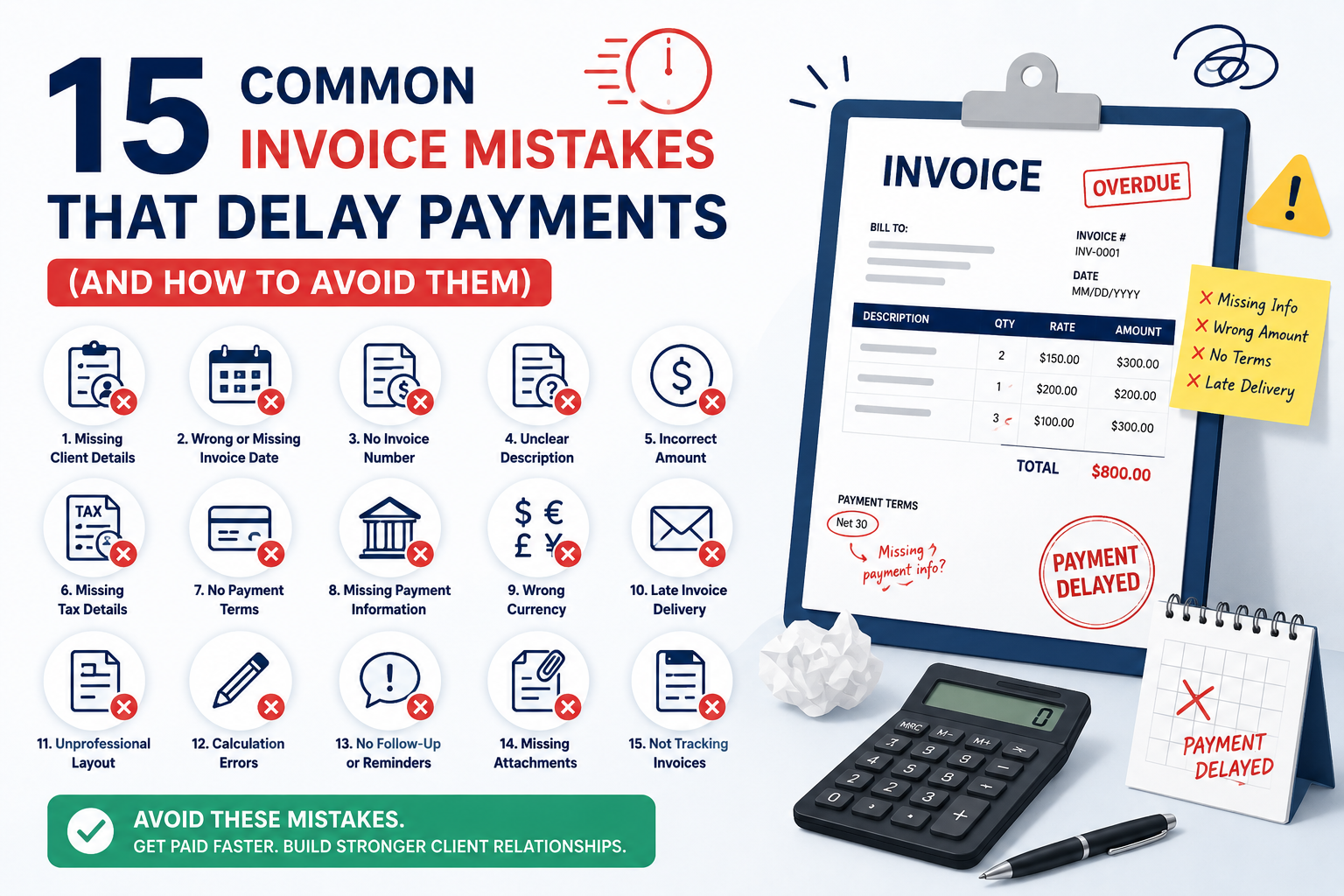
15 Common Invoice Mistakes That Delay Payments (And How to Avoid Them)
Getting paid should be simple.
Yet many freelancers, agencies, consultants, contractors, and small businesses experience delayed payments because of avoidable invoice mistakes.
A missing invoice number, incorrect client information, unclear payment terms, or inaccurate pricing can cause invoices to be rejected, returned, or pushed to the bottom of a client’s payment queue.
The result?
- Delayed cash flow
- Extra administrative work
- Payment disputes
- Frustrated clients
- Lost revenue
The good news is that most invoice errors are easy to prevent.
This guide covers the 15 most common invoice mistakes, why they happen, and exactly how to avoid them.
Need a professional invoice? Create one in minutes using the free invoice generator at iLove Invoice.
Table of Contents
- What Are the Most Common Invoice Mistakes?
- Why Invoice Accuracy Matters
- The Cost of Invoice Errors
- 15 Common Invoice Mistakes and How to Fix Them
- Invoice Mistakes Comparison Table
- Bad Invoice vs Professional Invoice
- Professional Invoice Checklist
- How to Create Error-Free Invoices
- Best Tools to Prevent Invoice Mistakes
- Frequently Asked Questions
- Conclusion
What Are the Most Common Invoice Mistakes?
The most common invoice mistakes include missing invoice numbers, incorrect client information, unclear payment terms, pricing errors, missing tax details, vague service descriptions, and incomplete payment instructions. These errors can delay approvals, cause payment disputes, and significantly slow down the payment process.
Why Invoice Accuracy Matters
Accurate invoices help businesses get paid faster.
Clients can only process payments when invoice information is complete and correct.
Accurate invoicing improves:
- Cash flow
- Client trust
- Approval speed
- Accounting accuracy
- Tax compliance
A professional invoice also reduces unnecessary back-and-forth communication.
For best practices on creating invoices, see: How to Create a Professional Invoice
The Cost of Invoice Errors for Small Businesses
Invoice mistakes often seem minor.
In reality, they can create significant financial problems.
| Impact | Consequence |
|---|---|
| Missing information | Invoice rejection |
| Incorrect pricing | Payment disputes |
| Wrong tax details | Compliance issues |
| Late invoicing | Delayed cash flow |
| Poor record keeping | Accounting errors |
| Missing payment instructions | Slower payments |
Even a single error can delay payment by weeks.
15 Common Invoice Mistakes and How to Fix Them
Mistake #1 – Missing Invoice Number
What It Is
Sending an invoice without a unique invoice number.
Why It Happens
Manual invoice creation.
Example
An agency sends three invoices without reference numbers. The client cannot determine which invoice relates to which project.
Consequences
- Payment delays
- Tracking problems
- Accounting confusion
How to Fix It
Use sequential invoice numbers.
Example:
- INV-1001
- INV-1002
- INV-1003
Expert Tip
Never reuse invoice numbers.
Mistake #2 – Incorrect Client Information
What It Is
Wrong company name, address, or contact details.
Example
Invoice addressed to “ABC Ltd” instead of “ABC Holdings Ltd.”
Consequences
- Invoice rejection
- Delayed approvals
How to Fix It
Verify client details before invoicing.
Expert Tip
Copy information directly from signed contracts whenever possible.
Mistake #3 – Sending Invoices to the Wrong Person
What It Is
Sending invoices to a project manager instead of Accounts Payable.
Consequences
The invoice may never enter the payment process.
How to Fix It
Ask who handles invoice approvals before sending the invoice.
Expert Tip
Always request the Accounts Payable email address.
Mistake #4 – Missing Due Date
What It Is
The invoice states the amount due but not when payment is required.
Consequences
Clients may delay payment indefinitely.
How to Fix It
Always include a clear due date.
Example:
Payment Due: July 15, 2026
Expert Tip
Specific dates work better than vague wording.
Mistake #5 – Unclear Payment Terms
What It Is
The invoice does not specify payment expectations.
Consequences
Payment delays and misunderstandings.
How to Fix It
Use terms such as:
- Net 15
- Net 30
- Due Upon Receipt
More information: What Are Invoice Payment Terms
Expert Tip
Use Net 15 for faster cash flow.
Mistake #6 – Incorrect Pricing
What It Is
Charging the wrong amount.
Example
Charging $1,200 instead of the agreed $1,000.
Consequences
- Payment disputes
- Loss of trust
How to Fix It
Compare invoices against proposals and contracts.
Expert Tip
Review pricing before every invoice is sent.
Mistake #7 – Mathematical Errors
What It Is
Incorrect calculations.
Example
Subtotal, tax, and totals do not match.
Consequences
Clients question invoice accuracy.
How to Fix It
Use automated invoice software.
Expert Tip
Automation eliminates most calculation mistakes.
Mistake #8 – Missing Tax Information
What It Is
Required tax details are omitted.
Consequences
- Compliance issues
- Invoice rejection
How to Fix It
Include applicable tax information.
Reference: IRS.gov
Expert Tip
Consult a tax professional if unsure.
Mistake #9 – Wrong VAT or Sales Tax Rate
What It Is
Applying an incorrect tax percentage.
Consequences
- Underpayment
- Overpayment
- Compliance risks
How to Fix It
Verify current tax rates before invoicing.
Expert Tip
Review tax rules regularly.
Mistake #10 – Vague Service Descriptions
What It Is
Descriptions such as:
“Marketing Services”
Consequences
Clients may not know what they are paying for.
How to Fix It
Use detailed descriptions.
Example:
“SEO Audit and Technical Optimization for June 2026”
Expert Tip
Detailed invoices are approved faster.
Mistake #11 – Missing Payment Instructions
What It Is
No information explaining how clients should pay.
Consequences
Payment delays.
How to Fix It
Include:
- Bank details
- ACH instructions
- PayPal details
- Payment links
Expert Tip
Offer multiple payment options.
Mistake #12 – Sending Invoices Late
What It Is
Waiting days or weeks after project completion.
Consequences
Delayed revenue.
How to Fix It
Invoice immediately after work is completed.
Expert Tip
Build invoicing into your workflow.
Mistake #13 – Not Following Up on Overdue Invoices
What It Is
Assuming clients will always pay on time.
Consequences
Invoices remain unpaid longer.
How to Fix It
Send reminders:
- Before due date
- On due date
- 7 days overdue
Expert Tip
Most overdue invoices are paid after a reminder.
Mistake #14 – Using Manual Invoicing Systems
What It Is
Creating invoices from scratch every time.
Consequences
- Human error
- Lost invoices
- Inconsistent formatting
How to Fix It
Use invoice templates or invoicing software.
Expert Tip
Automation improves accuracy and consistency.
Mistake #15 – Poor Invoice Record Keeping
What It Is
Failing to organize invoice records.
Consequences
- Accounting problems
- Tax issues
- Missing payment records
How to Fix It
Maintain organized invoice records.
Expert Tip
Store invoices digitally.
Invoice Mistakes Comparison Table
| Mistake | Severity | Payment Impact | Solution |
|---|---|---|---|
| Missing Invoice Number | High | High | Use sequential numbers |
| Wrong Client Details | High | High | Verify information |
| Wrong Contact Person | High | High | Use AP contact |
| Missing Due Date | Medium | Medium | Include payment deadline |
| Unclear Terms | Medium | Medium | Define payment terms |
| Pricing Errors | High | High | Review contracts |
| Calculation Errors | High | High | Automate calculations |
| Missing Taxes | High | High | Verify requirements |
| Wrong Tax Rate | High | High | Confirm rates |
| Vague Descriptions | Medium | Medium | Be specific |
| Missing Payment Instructions | High | High | Include payment details |
| Late Invoicing | High | High | Invoice immediately |
| No Follow-Up | Medium | High | Use reminders |
| Manual Systems | Medium | Medium | Use software |
| Poor Record Keeping | Medium | Medium | Maintain records |
Bad Invoice vs Professional Invoice
| Missing Information | Bad Example | Good Example |
|---|---|---|
| Invoice Number | None | INV-2026-1001 |
| Due Date | Missing | July 15, 2026 |
| Service Description | Consulting | SEO Consulting – June 2026 |
| Payment Terms | Missing | Net 15 |
| Payment Instructions | Missing | ACH & Bank Transfer Details |
| Tax Information | Missing | Sales Tax Included |
| Client Name | Incorrect | Verified Company Name |
Professional Invoice Checklist
Before sending any invoice:
- ✓ Invoice Number
- ✓ Client Information
- ✓ Invoice Date
- ✓ Due Date
- ✓ Payment Terms
- ✓ Service Description
- ✓ Quantity
- ✓ Pricing
- ✓ Tax Information
- ✓ Payment Instructions
- ✓ Total Amount Due
- ✓ Contact Details
- ✓ Proofread Invoice
How to Create Error-Free Invoices Every Time
- Collect client information.
- Verify billing details.
- Create invoice using a template.
- Add services and pricing.
- Check tax information.
- Add payment instructions.
- Review calculations.
- Confirm due date.
- Save a copy.
- Send promptly.
- Schedule reminders.
Following this workflow eliminates most invoice errors.
Best Tools to Prevent Invoice Mistakes
The easiest way to reduce invoicing mistakes is automation.
Look for tools that offer:
- Invoice templates
- Automatic calculations
- Payment reminders
- Invoice tracking
- Professional formatting
iLove Invoice helps businesses:
- Create professional invoices
- Reduce invoice errors
- Track payments
- Improve invoicing efficiency
Homepage: iLove Invoice
Freelance Invoice Template: Freelance Invoice Template
Conclusion
Invoice mistakes are one of the most common causes of payment delays.
The good news is that nearly all invoice errors are preventable.
By using professional invoice templates, verifying client information, including clear payment instructions, and following a consistent invoicing process, you can reduce delays and improve cash flow.
Key takeaways:
- Verify client details.
- Use invoice numbers.
- Include due dates.
- Add payment terms.
- Check calculations.
- Provide payment instructions.
- Follow up on overdue invoices.
- Use invoicing software whenever possible.
Ready to create professional invoices without costly mistakes?
Create professional invoices in minutes with iLove Invoice and avoid invoice errors before they affect your cash flow.